Note one cloud service only support one camera, it can't support all cameras.
On phone:
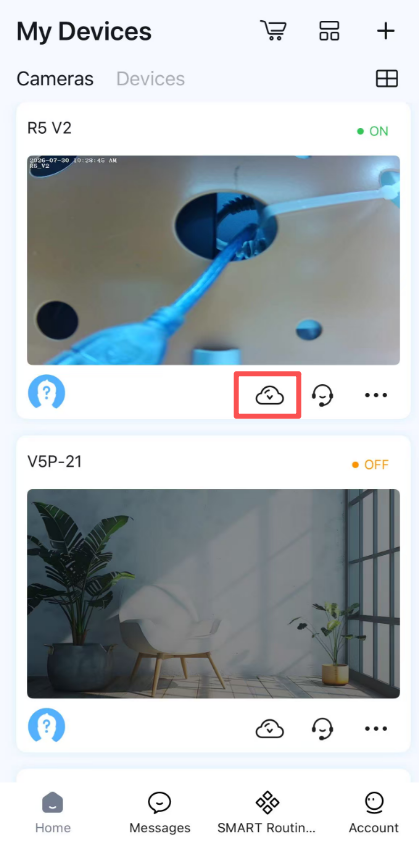
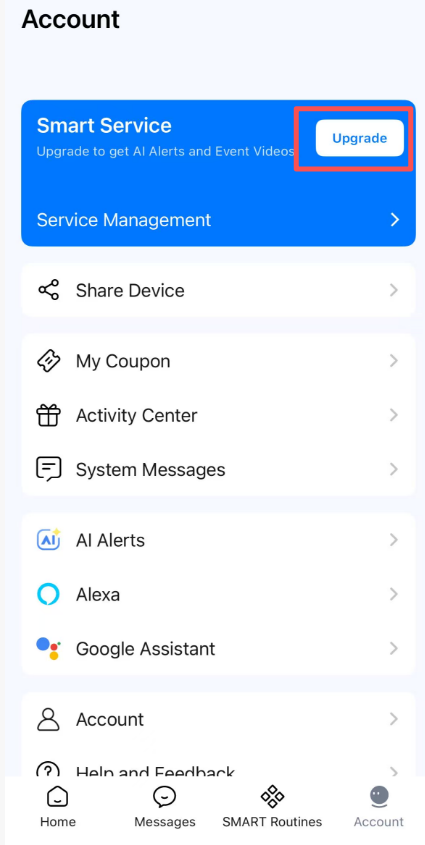
1)Login the Foscam app and tap on the cloud icon that list on bottom of camera thumbnail. Or open account page then click Upgrade option.
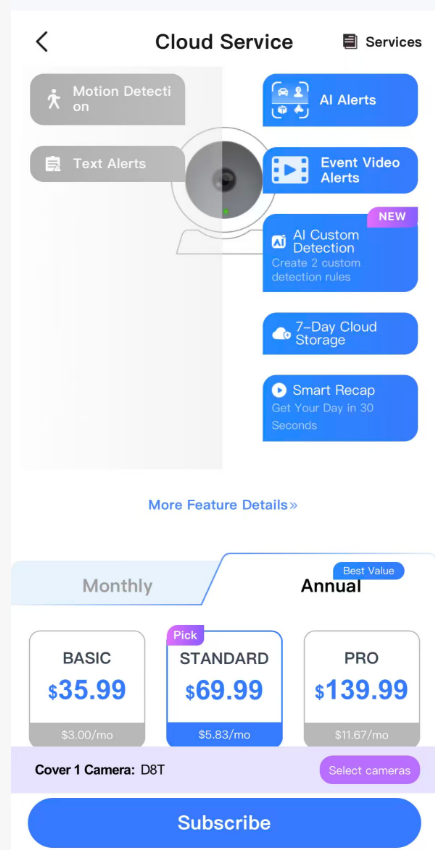
2)Choose the cloud service you like then click subscribe.
On PC:
1)Login the Foscam VMS with Foscam account.
2)Please click on the cloud button to purchase the cloud service.

The camera will need to be configured to take full advantage of the Foscam Cloud Service.
Note: If you have any problem or have a request on cloud service cancellation,please feel free to contact us at support@foscam.com with your order number.
Was this article helpful?
Contact information
Full name *
Email *
Telephone number
Camera model
Help Topic *
Ticket Details
Please describe your problem as detailed as possible so that we can assist you in the best possible way
Title *
Submit