How to turn on auto tracking/human tracking feature for Foscam camera?
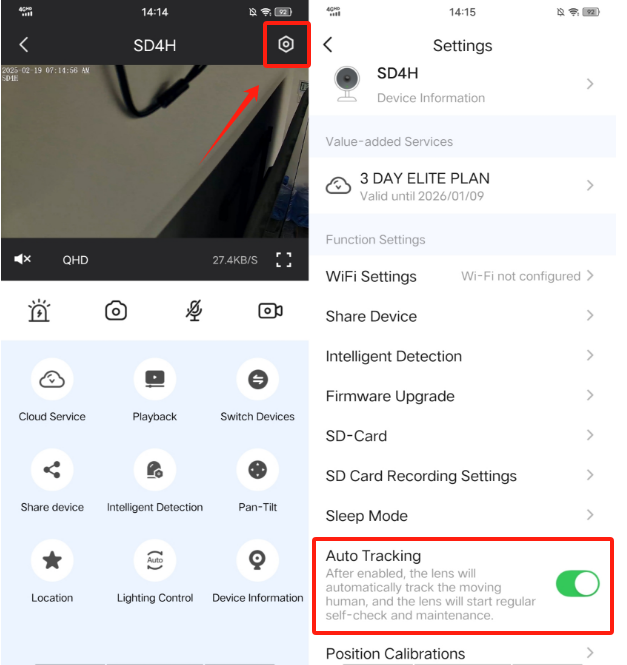
On Foscam app:
Step1: Open camera live video.
Step2: Tap on right top settings icon.
Step3: Turn on auto tracking feature.
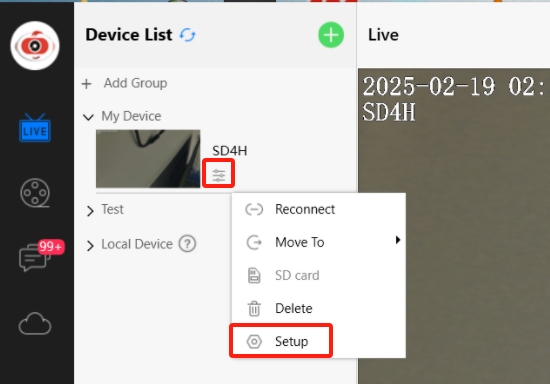
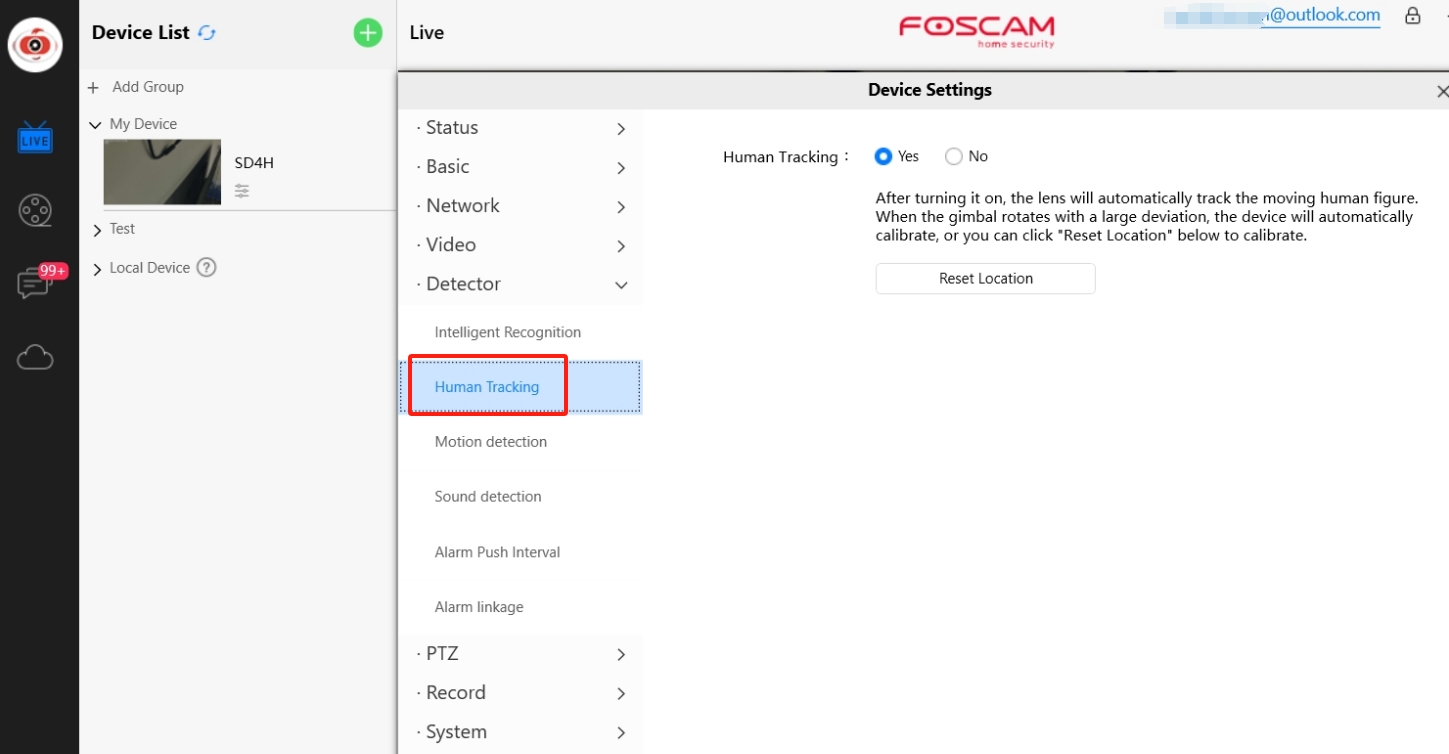
on Foscam VMS:
Step1:Tap on icon under camera name.
Step2: Tap on Setup option.
Step3: Enable Human Tracking feature.
Warm tips: After human tracking or auto tracking feature be enabled, the camera automatically performs a position calibration every midnight. During the position calibration process, camera will rotate itself.
 icon under camera name.