How to cancel the auto renewal of cloud service via Foscam app?
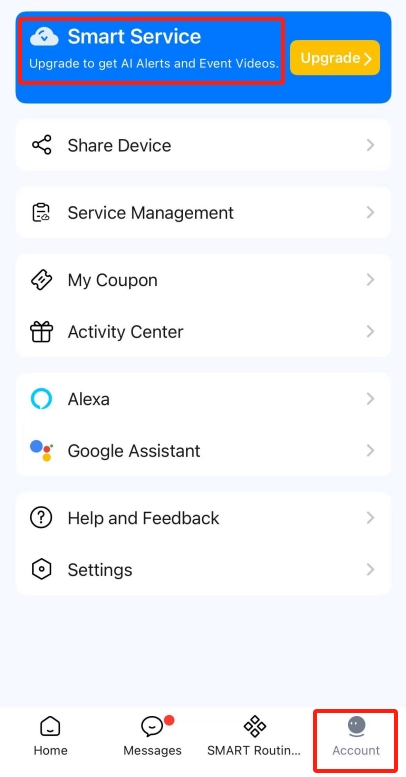
Step 1: Open Foscam app then tap on Smart Service option on interface Account.
Tips: Account option is the last option at the bottom of the Foscam app.
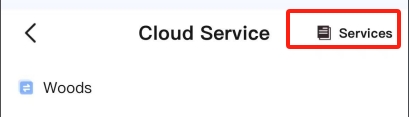
Step2: Tap on Services option in the upper right corner.
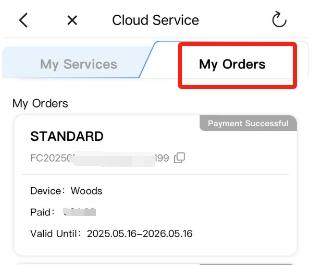
Step3: Tap on My Orders option. It will list all of your cloud service orders. You can tap on the cloud service which you want to cancel auto renew.
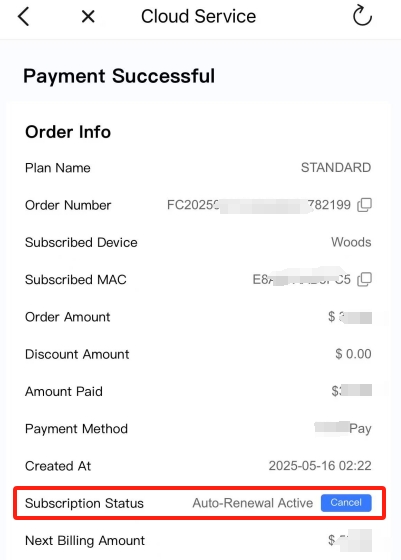
Step4: Find Subscription Status bar, If auto renew of it is enabled, you will see "Auto-Renewal Active". If you want to stop the auto renew, you can tap on Cancel option on the right.